
Construction Team Messaging & Chat
Construction Team Messaging, Chat & Collaboration
Stop the chaos of scattered texts, group chats, and phone calls. BuilderMate's construction team messaging and chat keeps your entire crew coordinated with real-time project conversations, task management, file sharing, and construction team coordination — all in one platform built for contractors.
- Project-based team messaging
- Assign tasks with deadlines
- Real-time activity feed
- Share files and documents
- Role-based permissions
- Mobile access for field teams
Construction Team Messaging & Chat Built for the Field
Most construction teams run on a mix of personal group texts, WhatsApp threads, random Facebook Messenger chats, and the occasional email — and nothing is tied to the actual project. That's how schedules get missed, materials get ordered wrong, and clients get conflicting answers. BuilderMate replaces that chaos with construction team messaging and construction team chat tied to each project — so every update, photo, file, and task lives where your whole team (office, PMs, crew, and subs) can find it.
The platform is purpose-built for construction team coordination and construction team collaboration. @mention a PM, assign a task to a crew lead, drop a photo of an issue on site, pull up the project plans — all in the same thread that ties back to the project record, the schedule, and the job cost. It's the simplest way to collaborate construction work across office and field without hoping people check the right inbox.
Everything Your Team Needs to Stay Connected
Professional collaboration tools designed for construction teams
Team Messaging
Built-in messaging keeps team conversations organized by project - no more lost texts or emails.
Task Assignment
Assign tasks to team members with deadlines, priorities, and descriptions. Track completion.
Activity Feed
Real-time feed shows project updates, client approvals, and team actions. Stay in sync effortlessly.
File Sharing
Share plans, photos, documents, and files with specific team members or entire project teams.
Role-Based Access
Control what team members can see and do based on their role - admin, PM, crew, office staff.
Mobile Access
Full mobile apps let field teams access projects, update status, and communicate from anywhere.
Notifications
Automatic notifications via app, email, or SMS when assigned tasks, mentioned, or updates happen.
@Mentions
Use @mentions to tag specific team members in messages and comments for their immediate attention.
How It Works
Simple setup, immediate coordination
Add Team Members
Invite team members via email. They create accounts and join your organization.
Assign to Projects
Add team members to specific projects with appropriate roles and permissions.
Collaborate
Team communicates, shares updates, assigns tasks, and updates progress in real-time.
Stay Coordinated
Everyone sees current project status, their tasks, and team updates. No confusion.
Real Team Collaboration Success
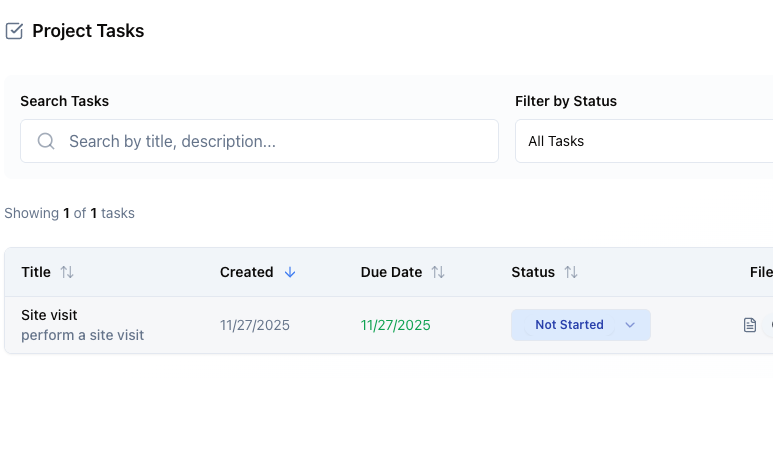
Office to Field Communication
Office team creates estimate and sends to project manager. PM reviews on phone, assigns tasks to crew lead, who sees materials list and schedule. Entire team coordinated without a single phone call or text. Work starts on time with right materials.
- Seamless coordination between office and field
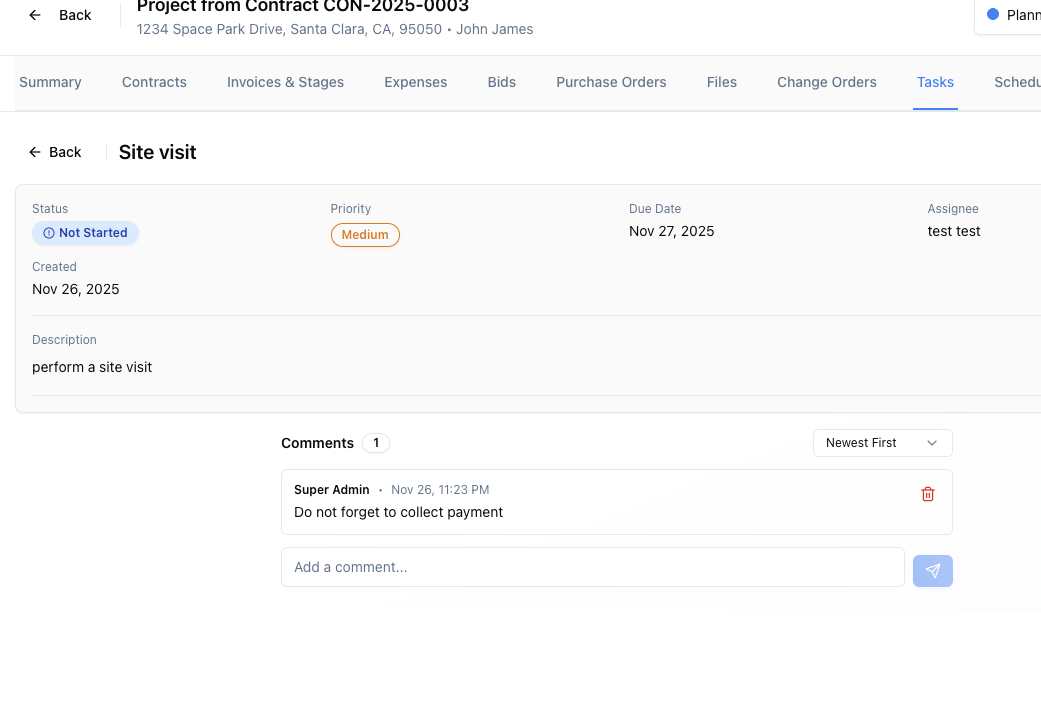
Multi-Project Coordination
Project manager running 5 active jobs sees all tasks across projects in one dashboard. Prioritizes work, assigns crews, and checks project status without juggling multiple apps or spreadsheets. Completes all 5 projects on schedule.
- Manage multiple projects efficiently
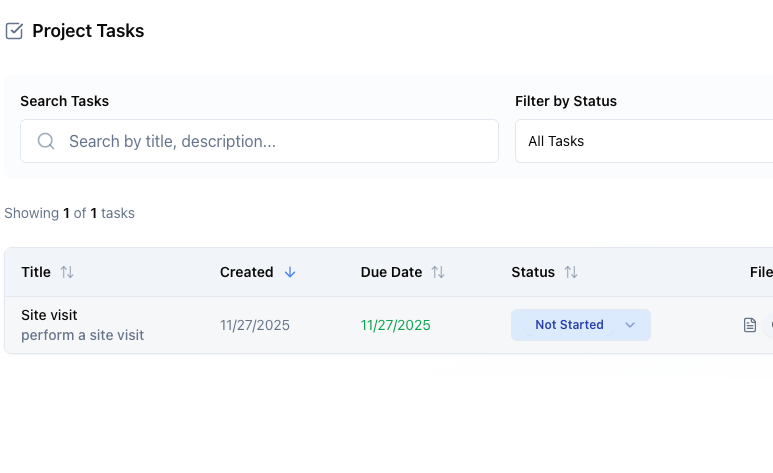
Client Update Coordination
Client approves change order in portal. Notification goes to project manager, estimator, and field supervisor simultaneously. PM updates schedule, estimator adjusts budget, supervisor orders materials. Team acts immediately on client decision.
- Instant team coordination on client actions
Frequently Asked Questions
“Team collaboration has eliminated the chaos of texts, emails, and phone calls. Everyone sees project updates in real-time, knows their tasks, and communicates in one place. We're completing projects 20% faster because there's no more confusion about what to do next.”
Complete Your Toolkit
These features work great together with what you just explored.
Project Management
Keep your entire team aligned with shared project views.
Learn moreScheduling
Assign tasks and coordinate crew schedules seamlessly.
Learn moreSMS Communication
Instant two-way texting with clients and team members.
Learn moreTask Management
Assign and track individual tasks across your team.
Learn moreReady to Coordinate Your Team Effortlessly?
Join contractors eliminating confusion with professional team collaboration tools.